ZOOM
"A Better Learning Experience Beyond the Screen."
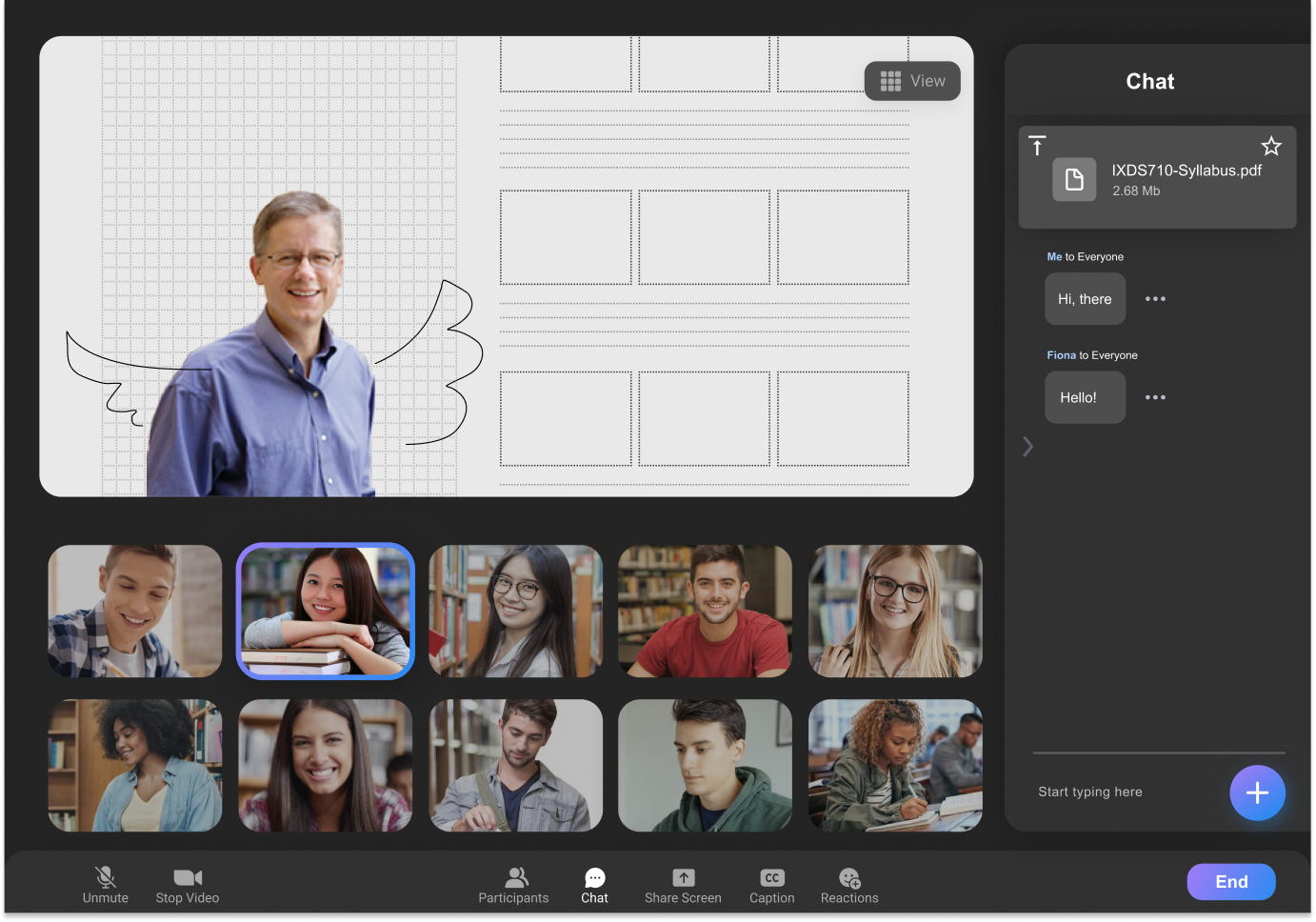
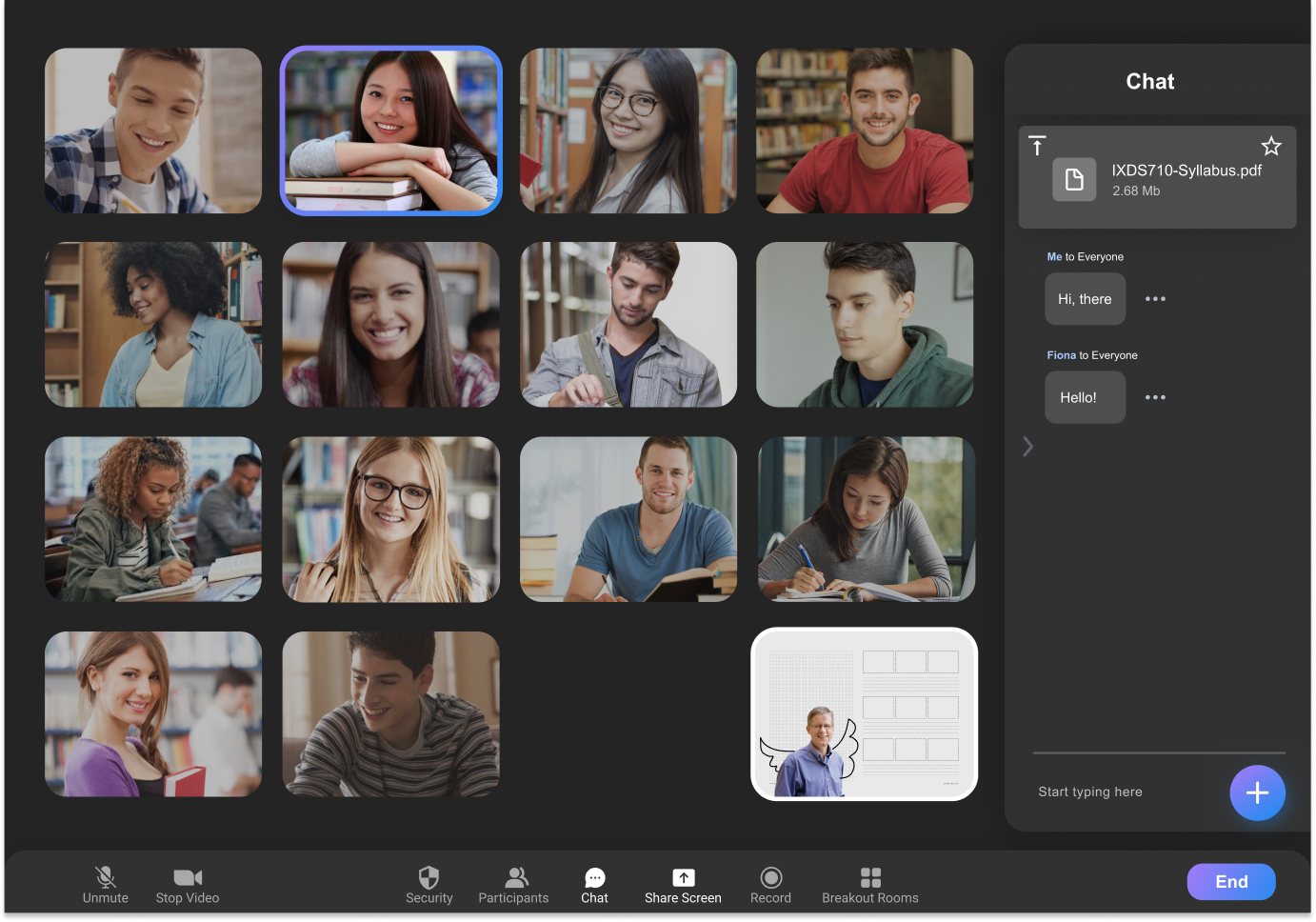
ZOOM EDU is a redesigned video communication platform based on ZOOM for professors and students in virtual classes. It has been improved and designed with many new features from both the professor and the student side to raise virtual learning engagement. The distinct engagement and bonds we build online don't just enhance the student experience. ZOOM EDU breathe a whole new life into the teaching experience, as well.
Highlight 🤩
Main Features
We redesigned Zoom for students attending online classes to address common pain points in virtual learning. The goal was to create a smoother, more engaging experience for both students and professors, reducing feelings of isolation and classroom fatigue. To support this, we introduced new features such as Waiting Room and Lucky Spin that bring more connection, fun, and lightness into online classes.
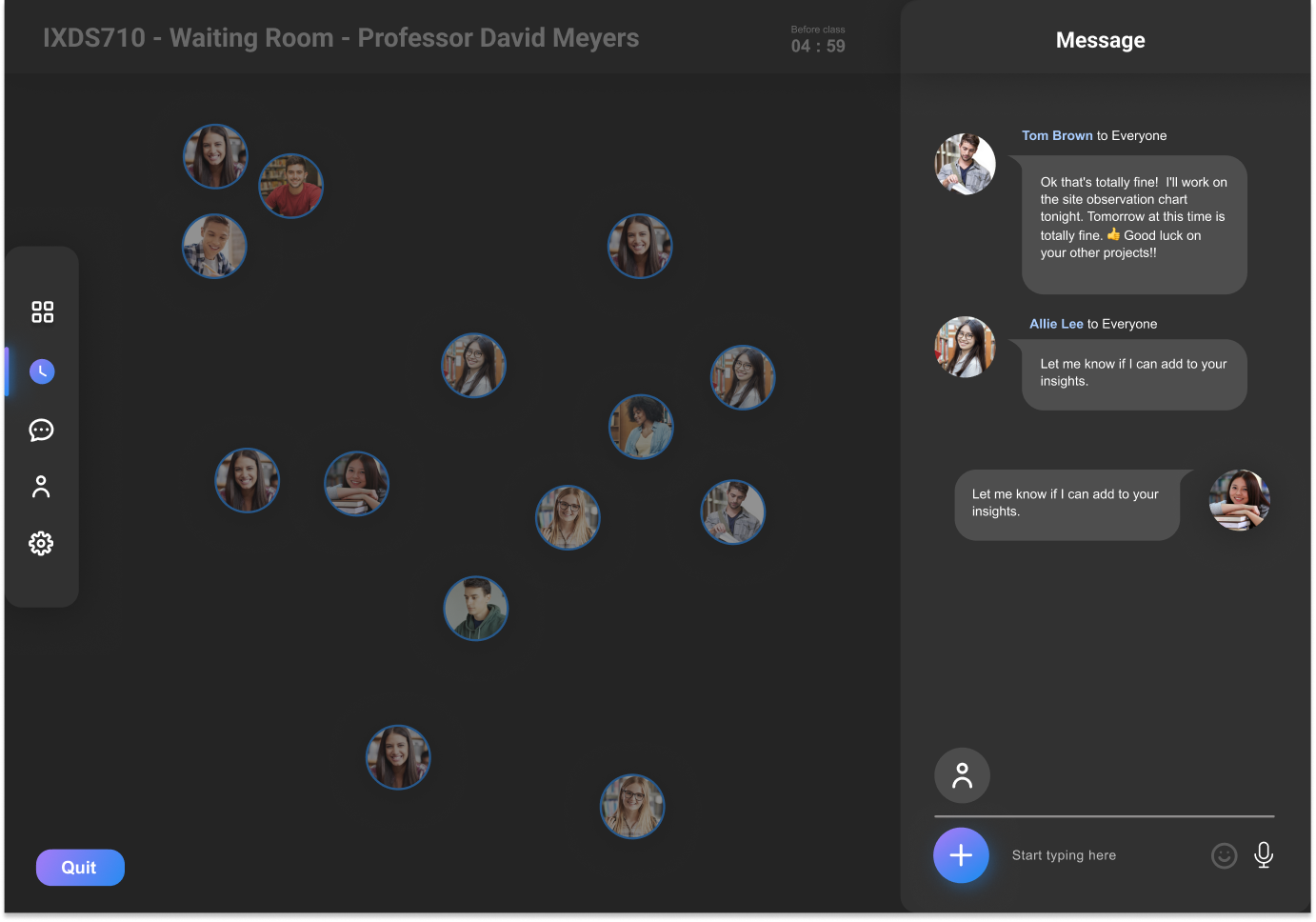
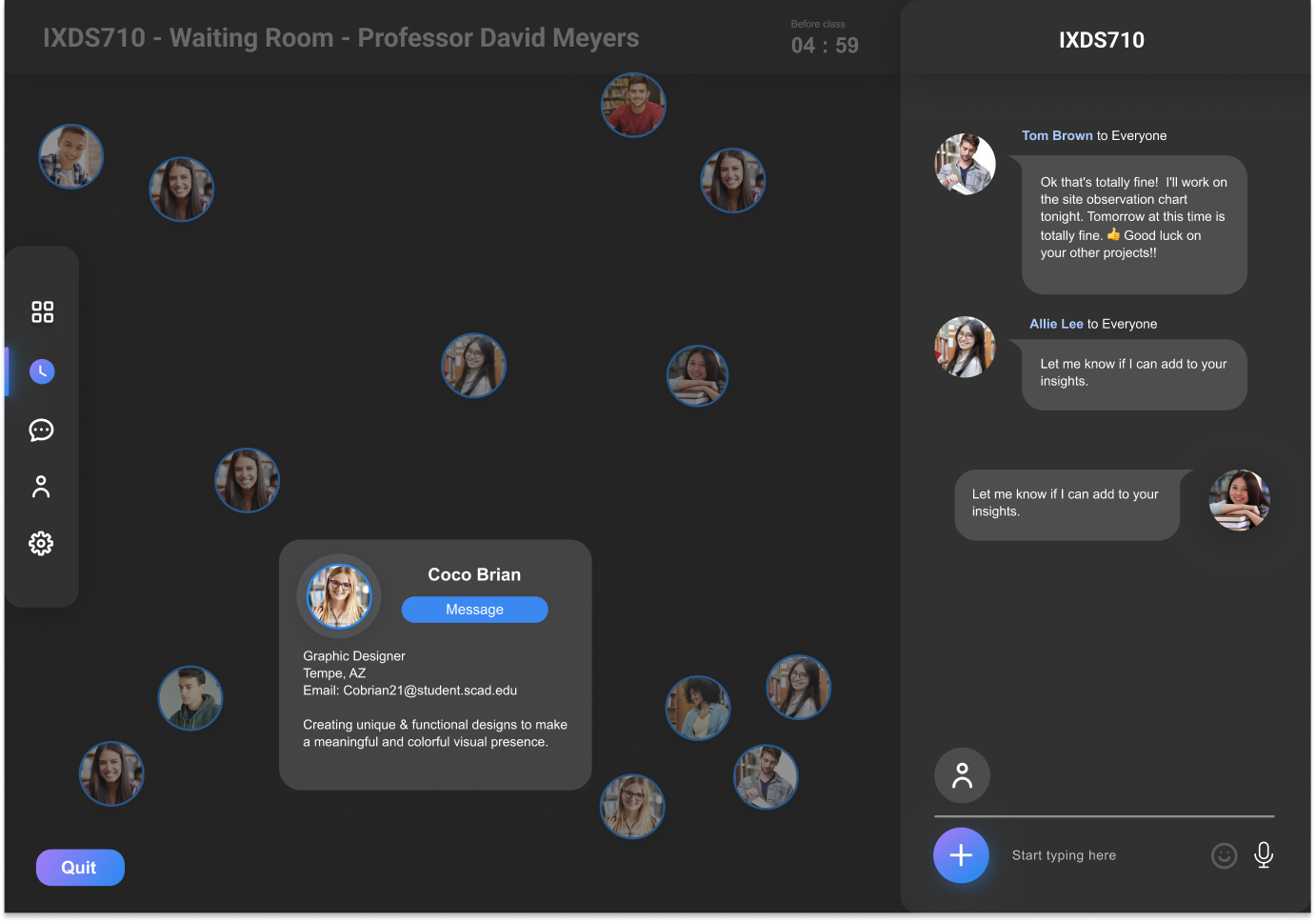
01. Waiting Room
Waiting Room is a social pre-class space designed to help students connect before an online session begins. Opening 10 minutes before class, it allows students to casually chat, use voice, emojis, and icebreakers, while professors can quietly moderate the experience. By encouraging lightweight interaction ahead of time, the feature reduces feelings of isolation and helps students enter class feeling more comfortable and engaged.
02. Lucky Spin
Lucky Spin is an instructor-only feature designed to help professors create a more engaging and relaxed atmosphere in online classes. It allows instructors to randomly select students, assign prompts or rewards, and introduce moments of surprise at any point during a session. Integrated sound effects such as applause and celebration reinforce positive feedback and help recreate the energy of an in-person classroom.
Design Process 🔍
Research
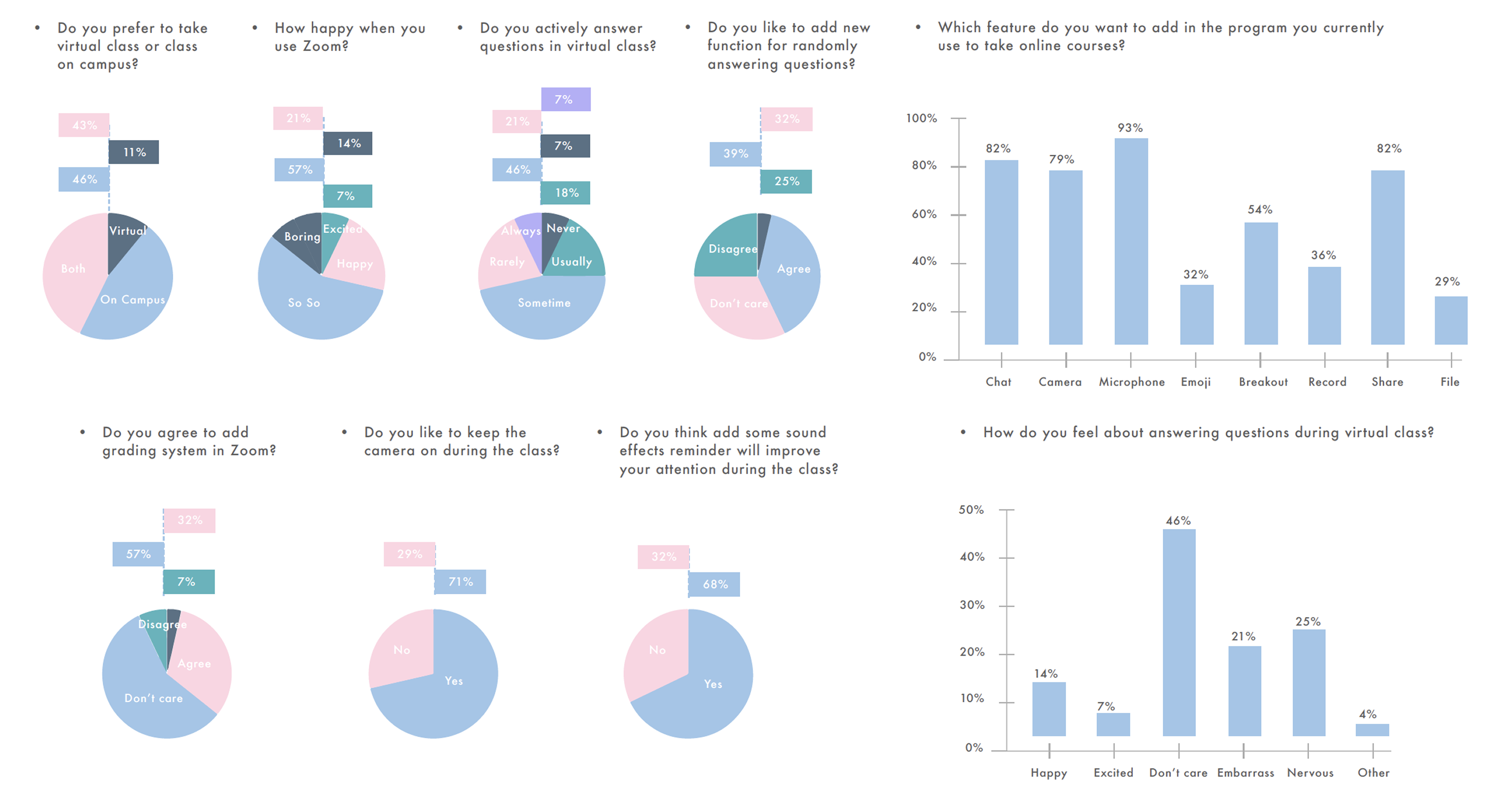
We have 78 responses in the survey. From the survey we knew, most university students have bad feeling and experience answer question online. And they are indifferent about online interactive with classmates and professors.
Affinity Map
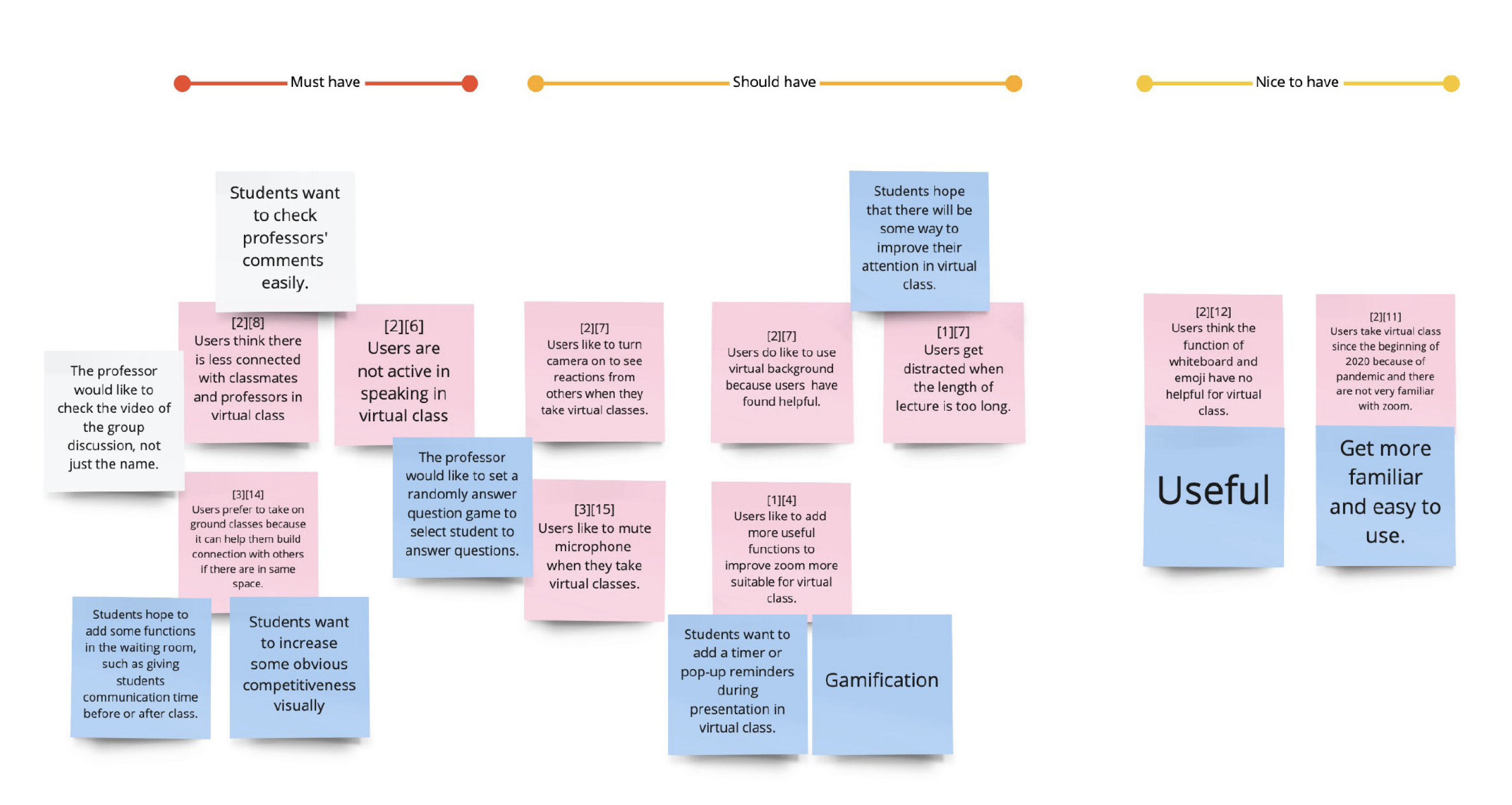
One professor and eight students who conducted interviews with us provided 203 raw data in yellow sticks. Next, we analyzed the data by affinity map in three rounds, which means that we separated 203 yellow sticks into 21 blue sticks and narrowed the blue sticks to 11 pink sticks.
We know that students want to boost engagement and communication by using a small amount of time before classes. In addition, they want to gamify the classroom experience.
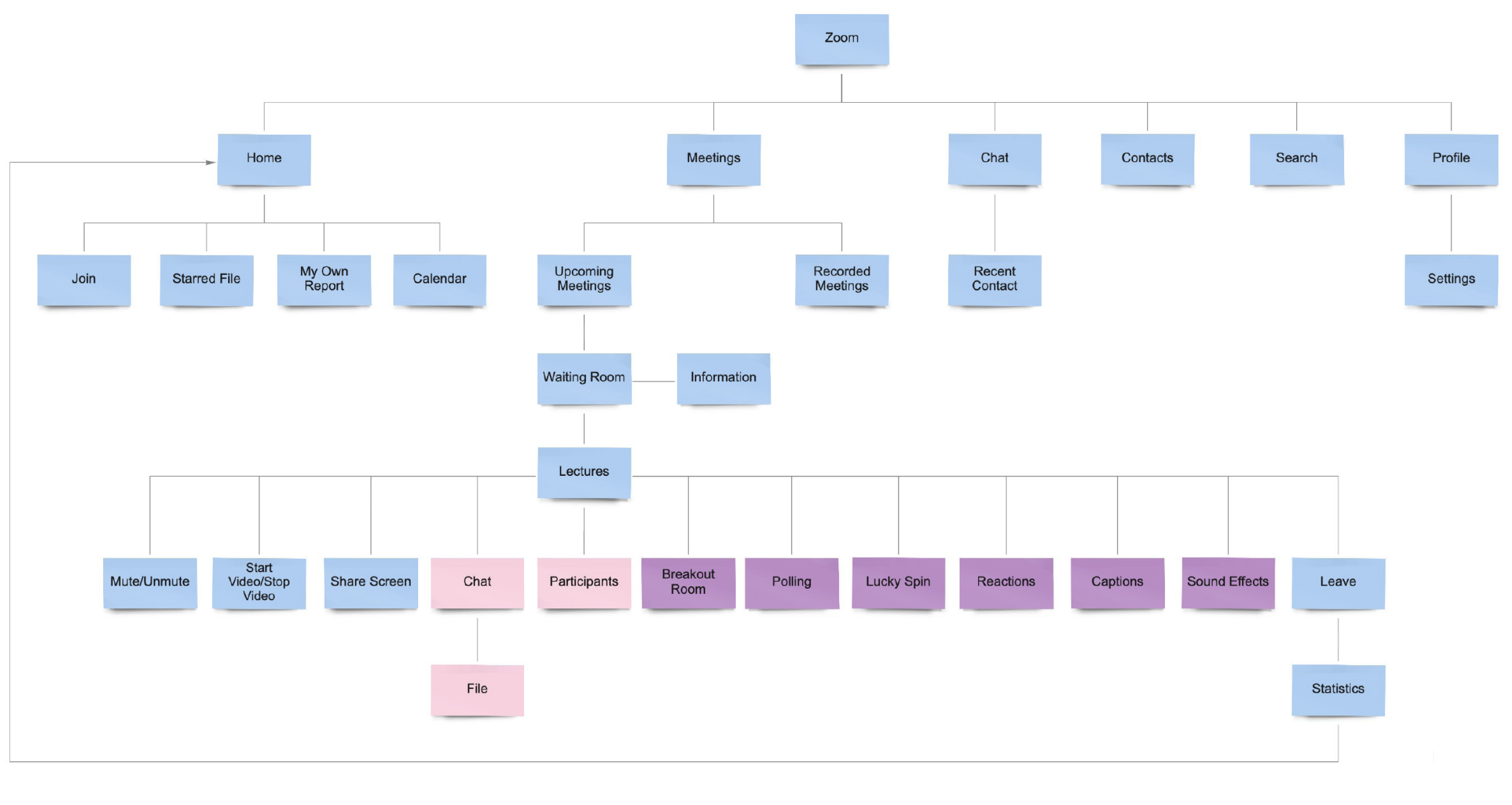
User Flow
Writing this flow is for teamwork, it helps with communication and also benefits the quick test. Taking online classes with Zoom should be as simple as possible for students.
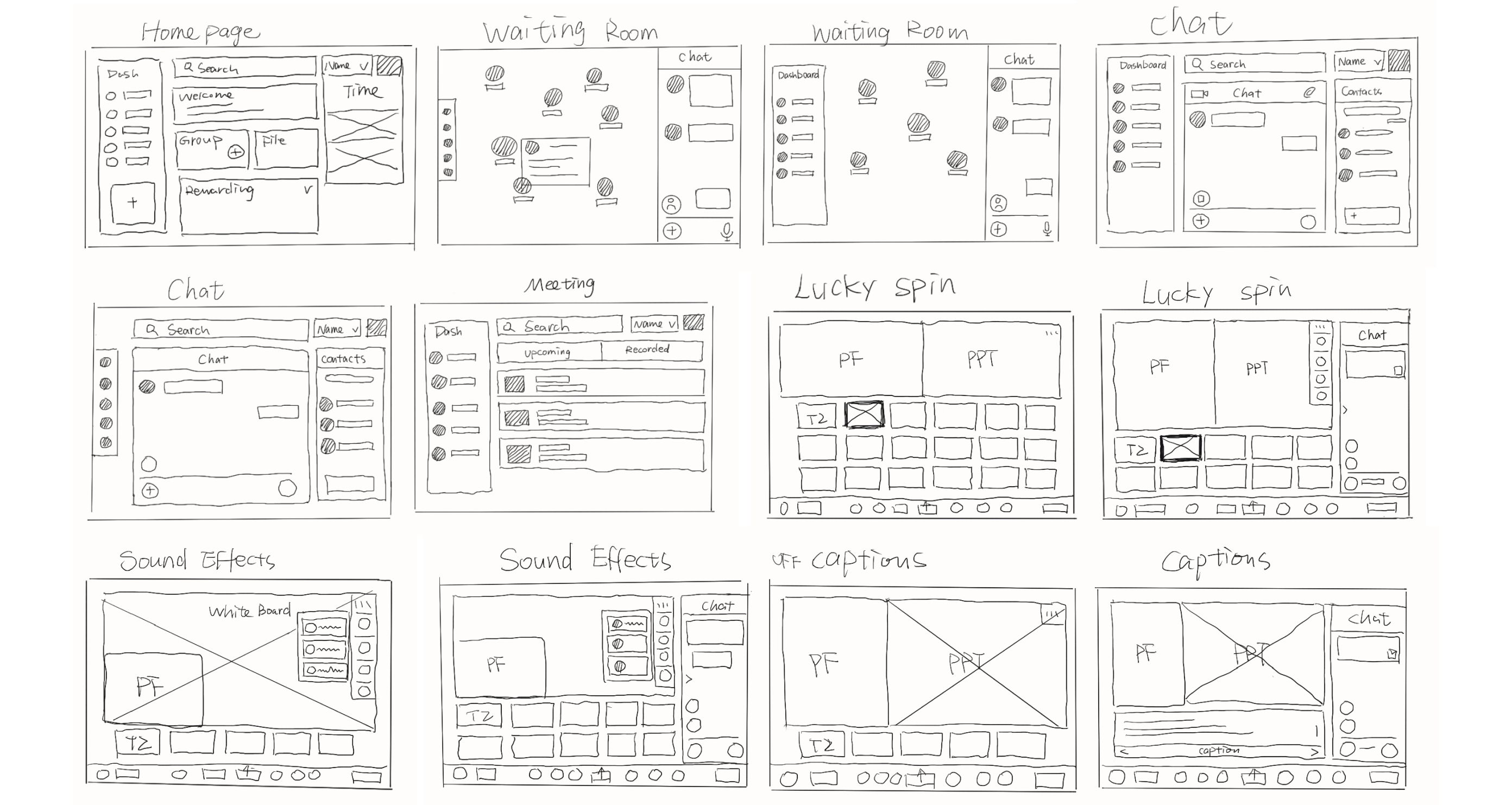
Ideation
We draw the new layout and new features in the sketches. To sketch the zoom.edu in rough is helpful for quick iterating and testing inside design team.
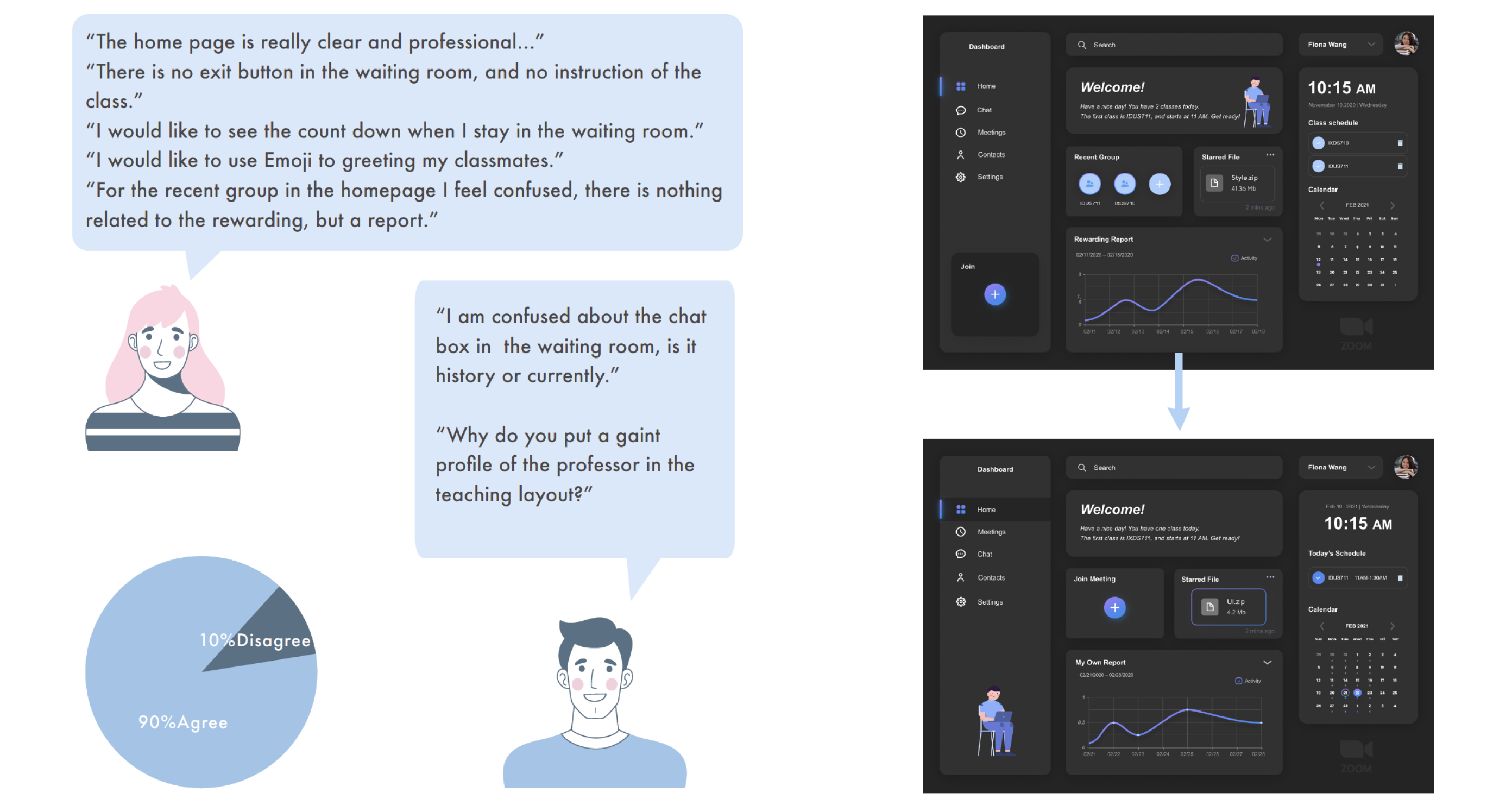
User Testing
We have 8 testers with us and 90% of them agree with us. They like the dashboard and can easily find what they want, but some of them confused about the chatting function in the waiting room.
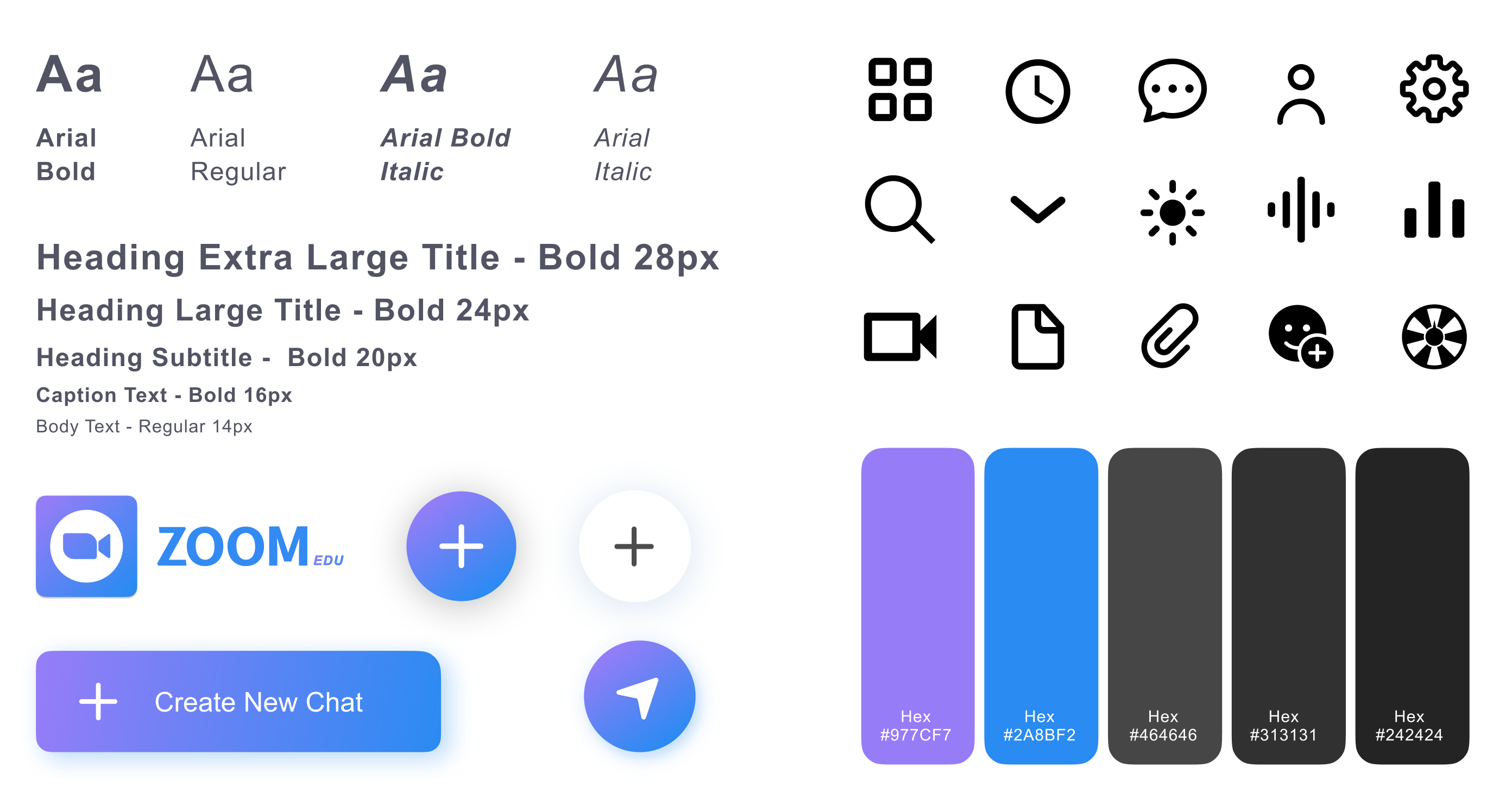
Style Guide
We have 8 testers with us and 90% of them agree with us. They like the dashboard and can easily find what they want, but some of them confused about the chatting function in the waiting room.
Mockups 🥳
Hi-fi Prototype
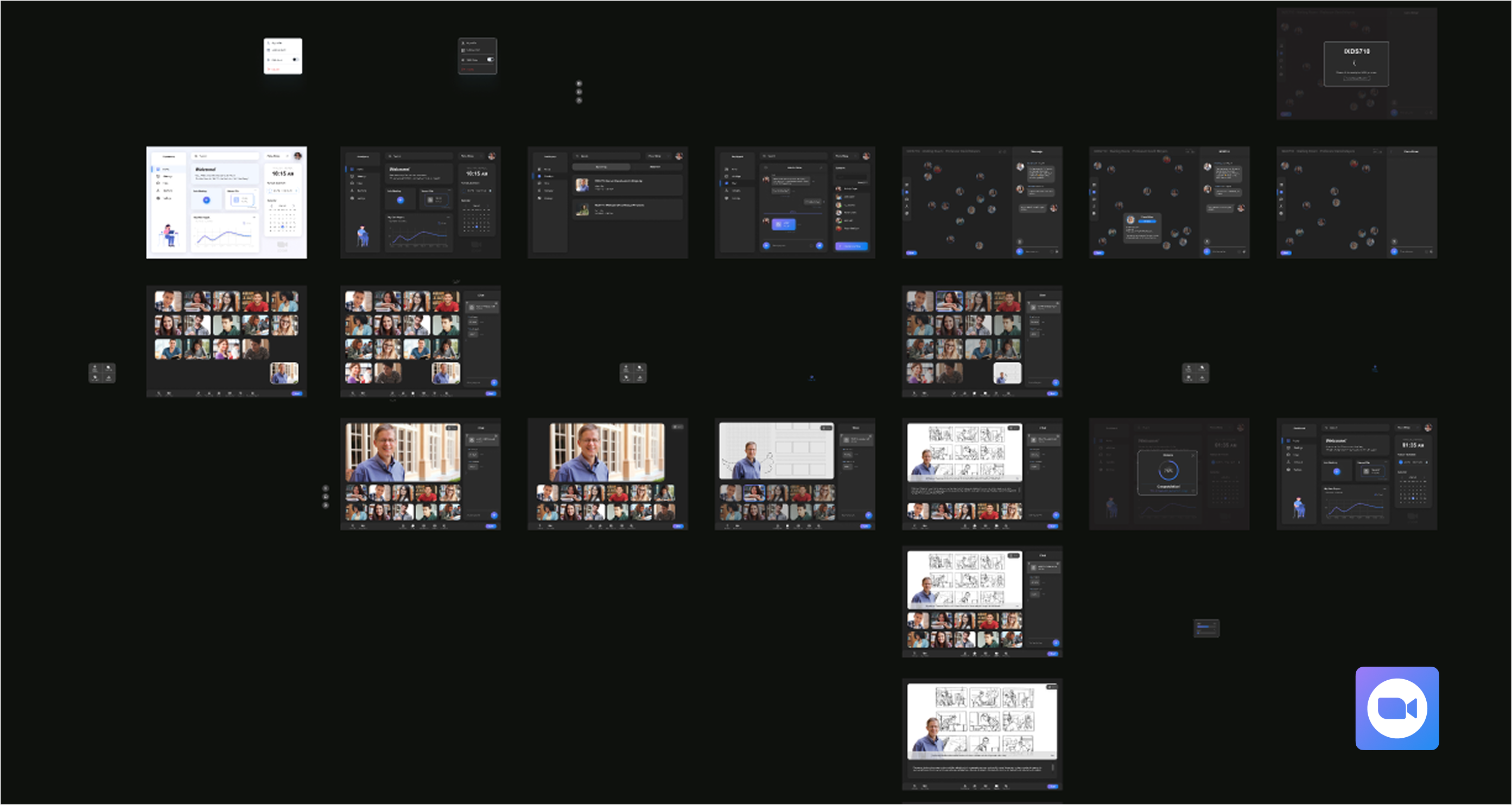
After testing, we did three times design iteration, and the final prototype is here.
01. Homepage
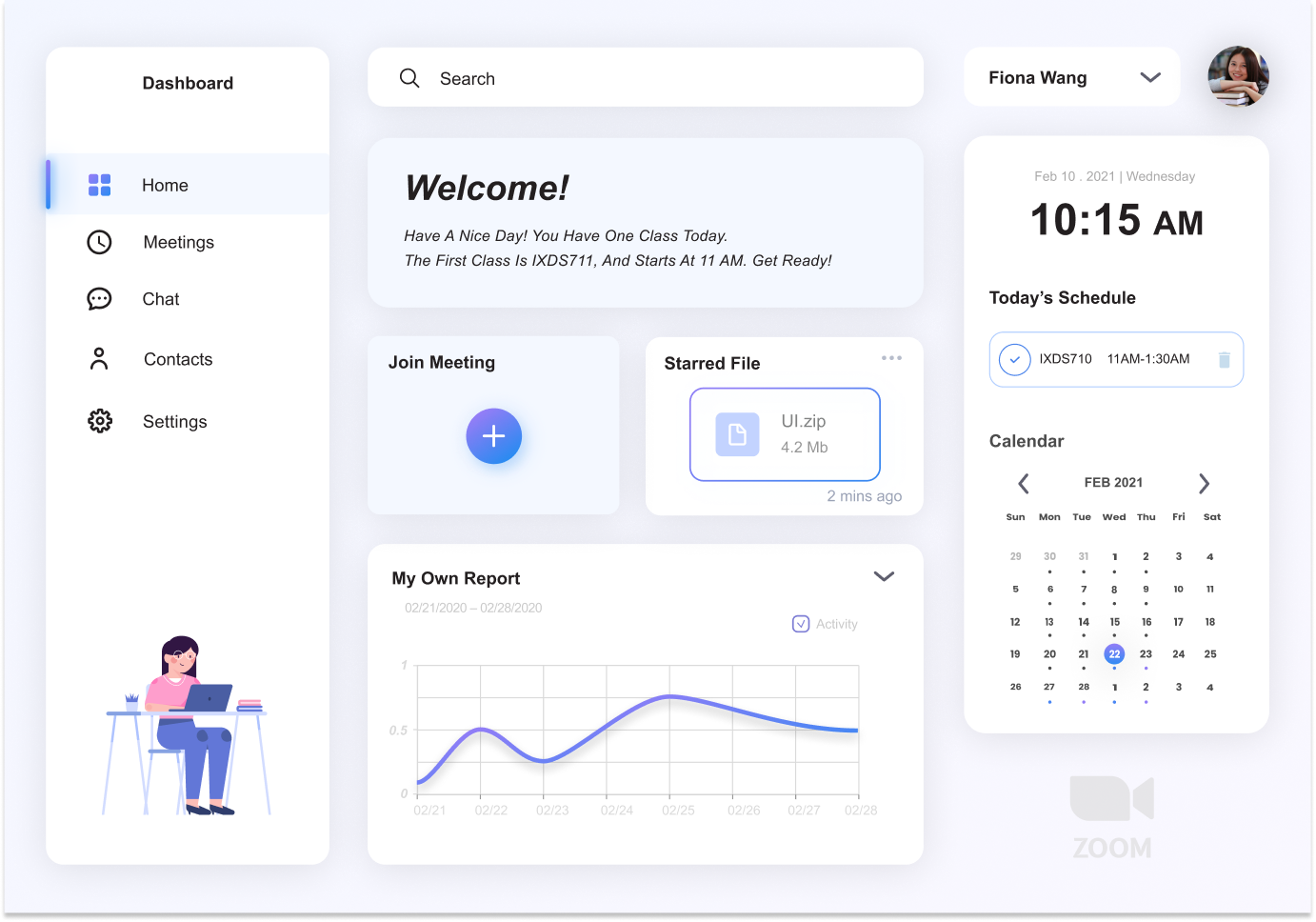
Homepage - Light Mode
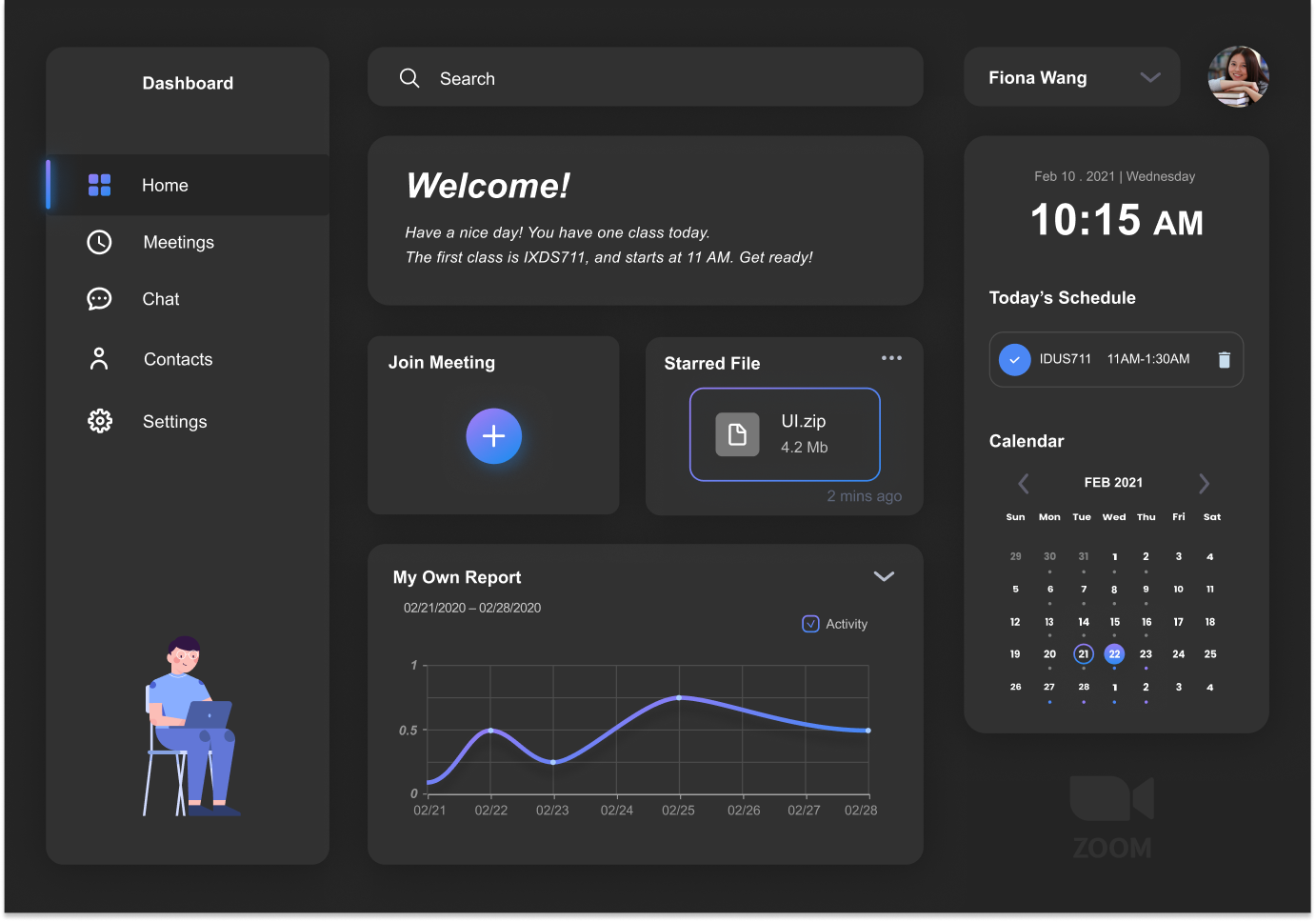
Homepage - Dark Mode
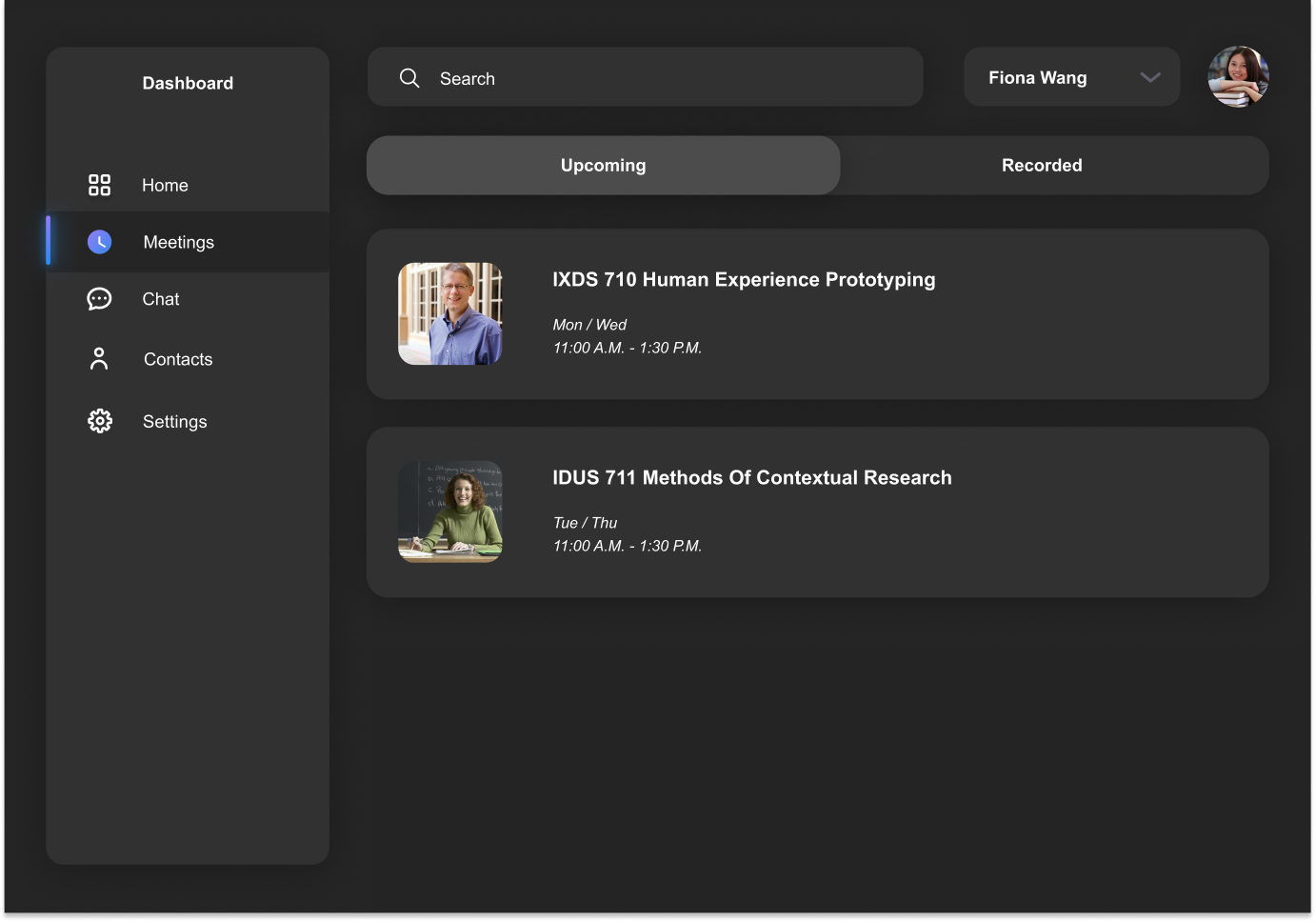
Homepage - Meetings
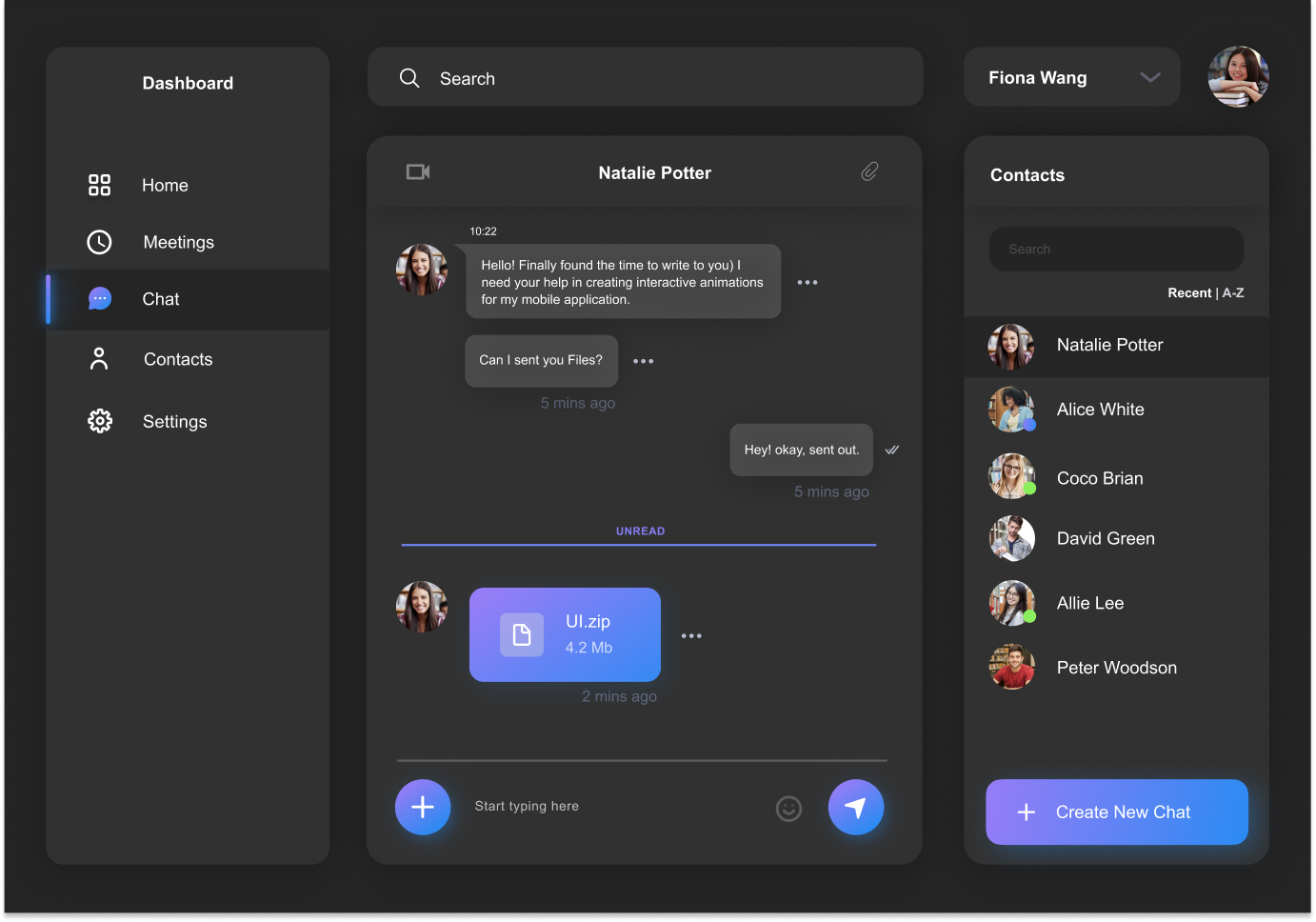
Homepage - Chat
02. Meeting Room - Student
Waiting Room
Waiting Room - Profile
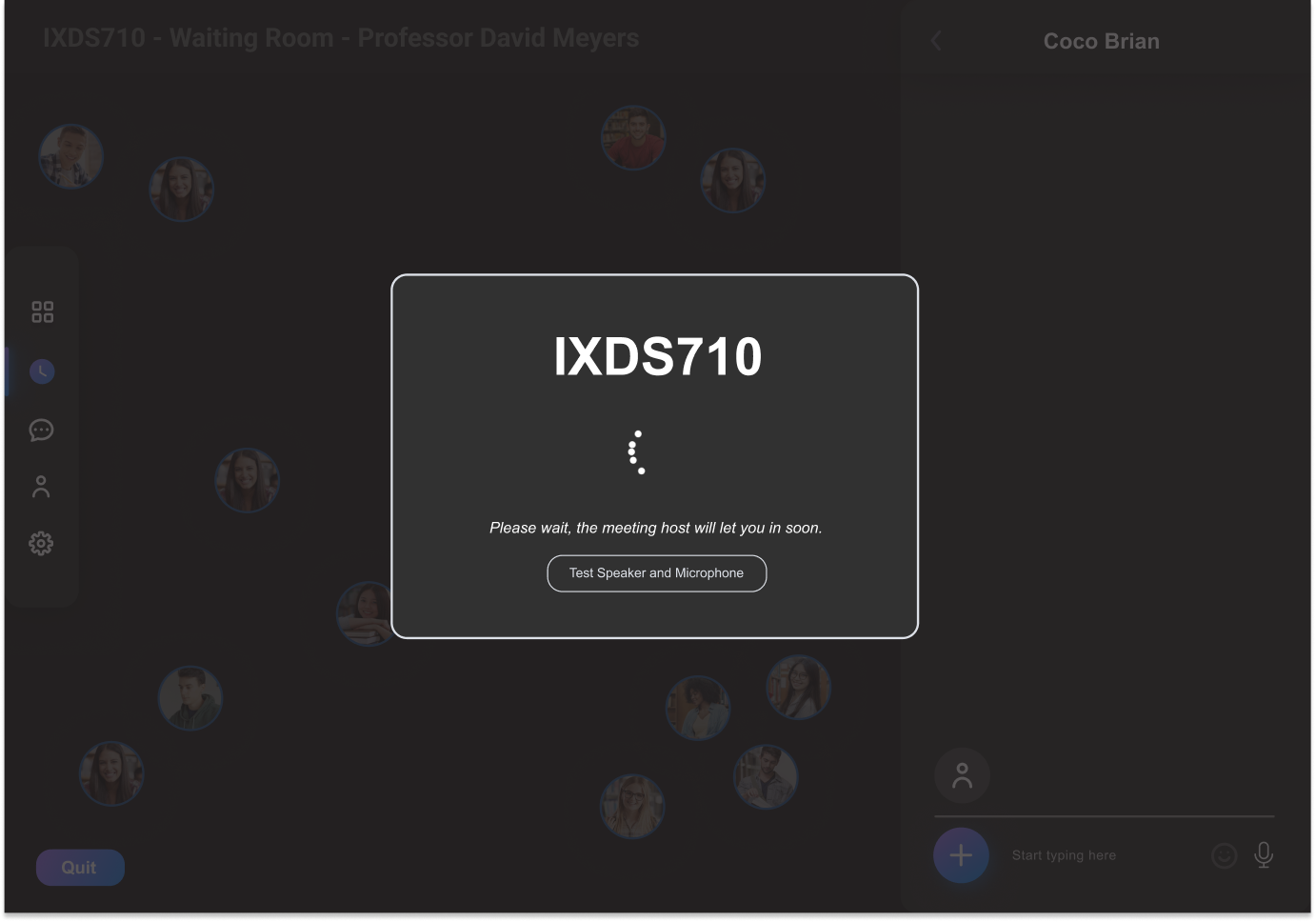
Loading
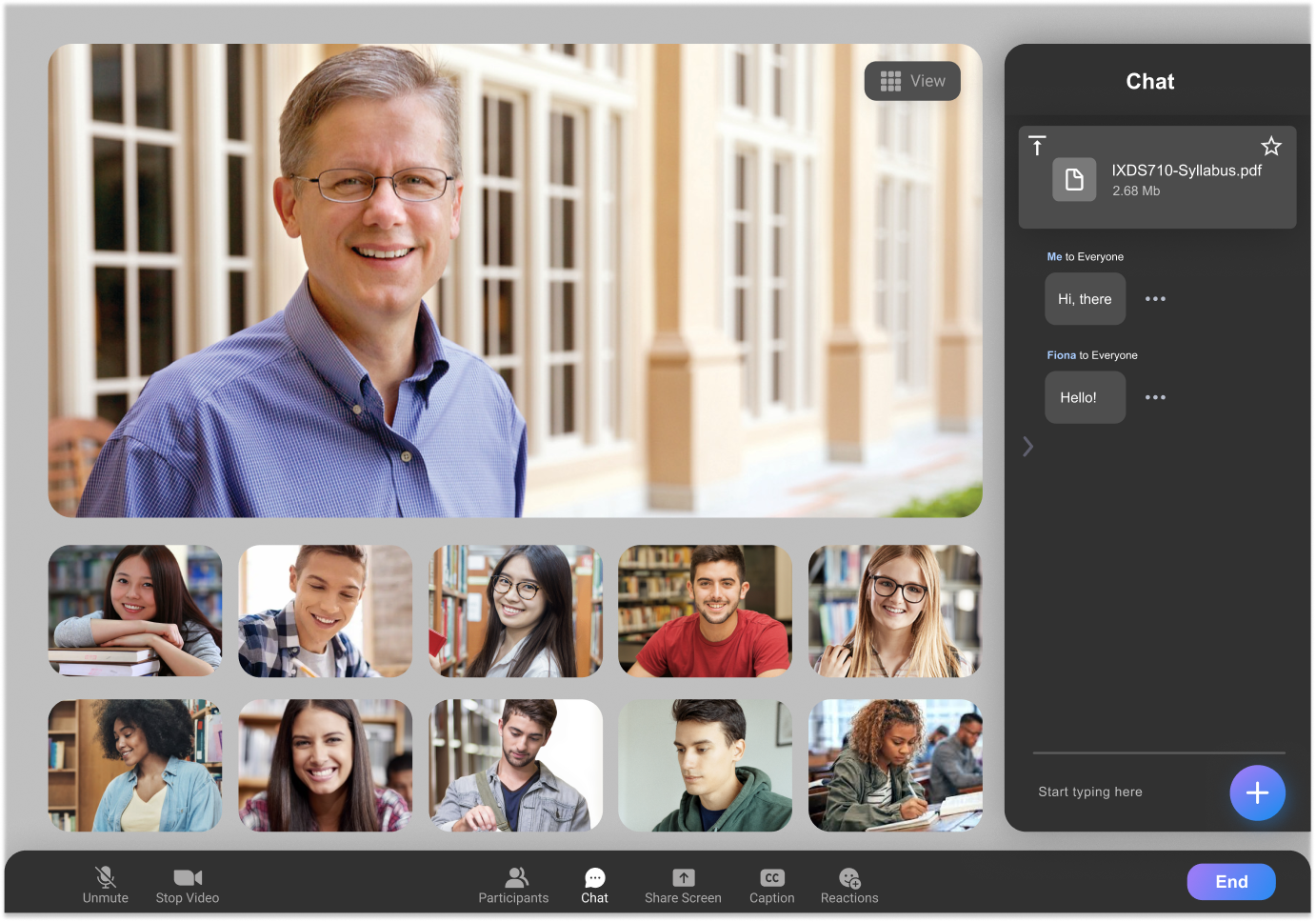
Meeting Room
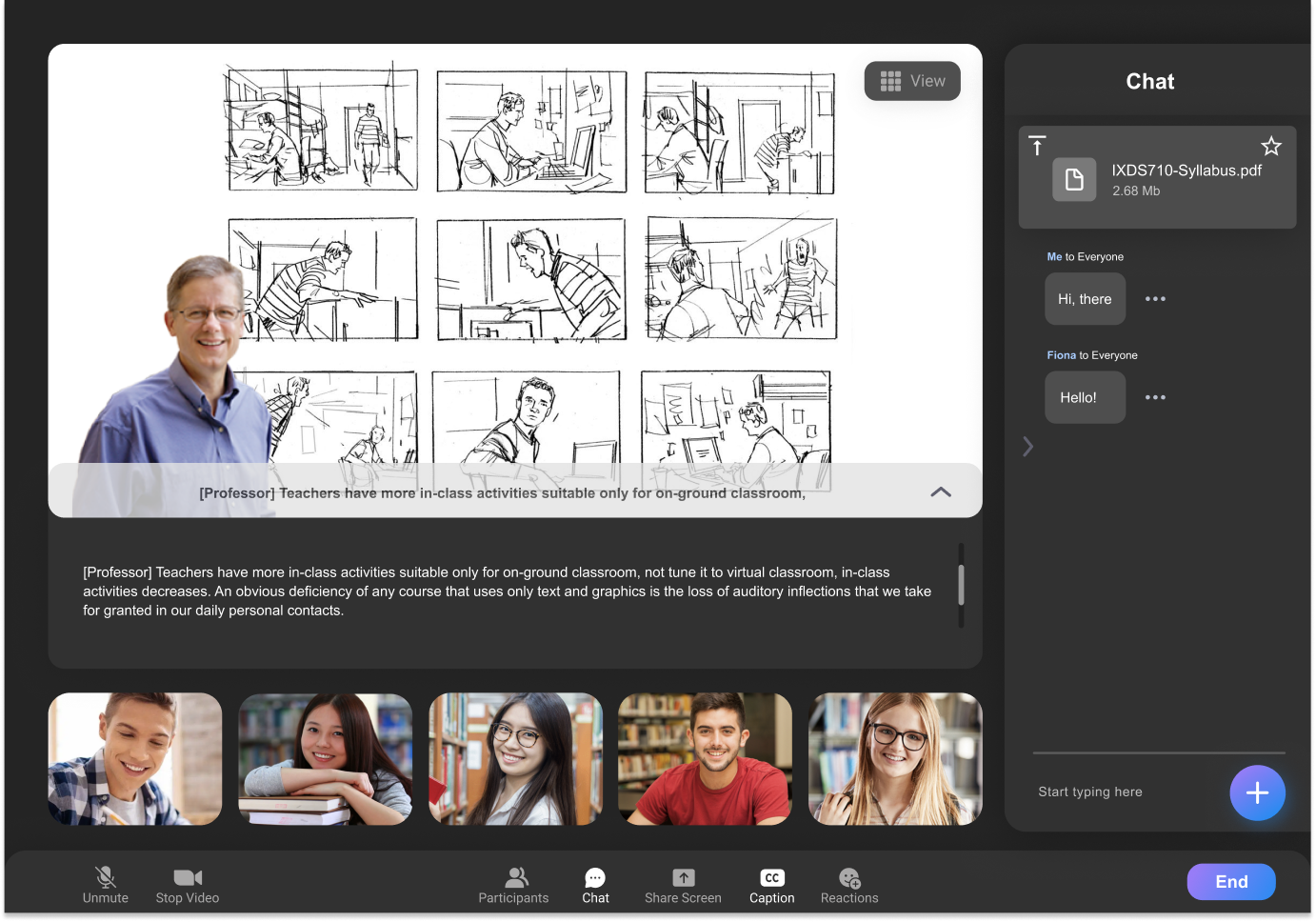
Meeting Room - Captions
Meeting Room - Lucky Spin
03. Meeting Room - Professor
Meeting Room - Lucky Spin
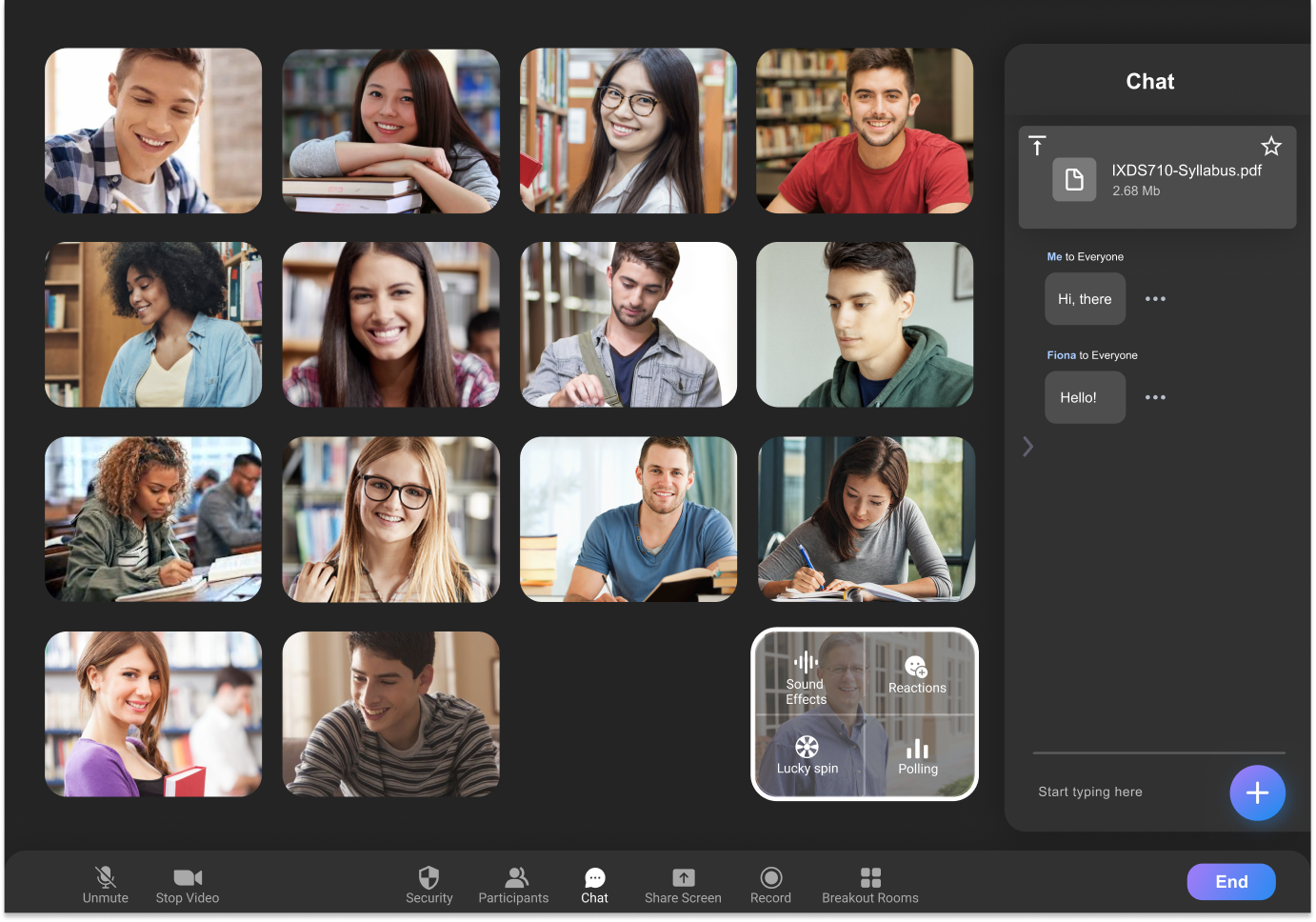
Meeting Room - Sound Effects
Interactive Prototype
Click the picture or here to try the Interactive Prototype of ZOOM.
More UX/UI Projects